Convert Image to 3D Model Online

Convert any photo into 3D model. No 3D skills needed, just upload and share.

or try these
Texture

Image to 3D Made Simple

Our image to 3D technology creates 3D models you can view from any angle and share online. Perfect for showcasing products—bring your photos to life with no 3D experience required.

1

Instant 3D Preview

View your products in 3D immediately after generation—rotate, zoom, and explore from every angle

2

Easy Sharing

Share 3D previews with a simple link—perfect for product pages, social media, or client presentations
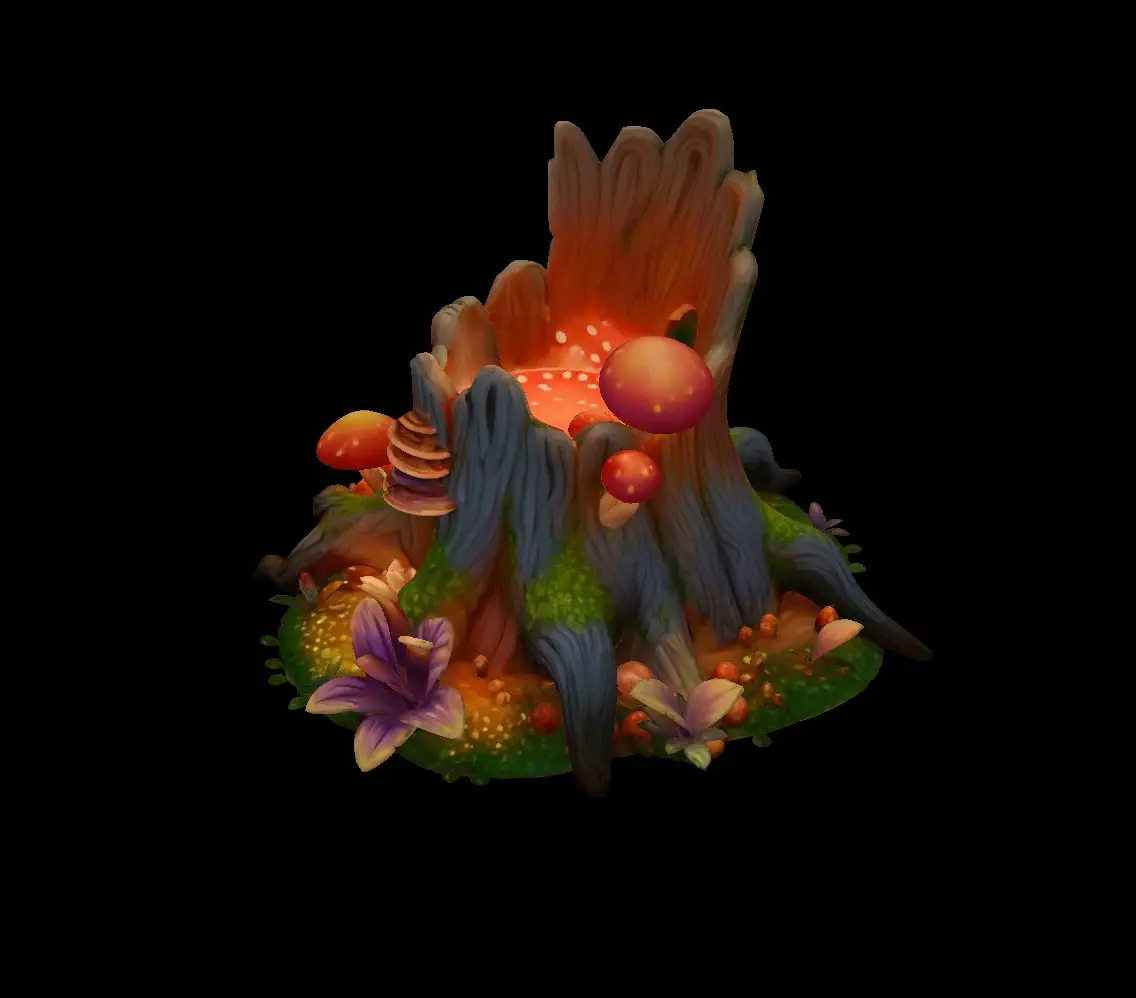
3D model preview

Image to 3D in Action

High-quality 3D models generated from photos in minutes. Our image to 3D technology delivers production-ready geometry and textures

UltraPBR
Ultra
ProTexture
UltraPBR
UltraPBR
Ultra
ProTexture
Pro

Why Choose Our Image to 3D Tool

Simple, accessible 3D creation for everyone—no modeling skills required

No 3D Skills Needed

Simply upload your photo and let AI handle the rest. Our image to 3D tool transforms flat images into viewable 3D models automatically—perfect for merchants, creators, and hobbyists who want 3D showcases without learning complex software.

Flexible Quality Options

Choose between Fast, Pro, or Ultra quality tiers based on your showcase needs—from quick previews to detailed presentations.

Realistic Textures

Your image to 3D results include color and surface details from your original photos, creating lifelike 3D previews that showcase your products beautifully.

Download & Share

Download your 3D models in popular formats (GLB, OBJ, STL, USDZ) or share interactive previews directly with a link.

How to Convert Image to 3D

Four simple steps to transform your photos into 3D models

Upload a single photo or multiple views for enhanced accuracy

Perfect for Product Showcases & Creative Projects

See how image to 3D helps bring your ideas to life with interactive previews

Online Stores & E-commerce

Give customers a better view of your products with rotatable 3D showcases. Convert product photos to 3D models that customers can spin and explore from every angle. Perfect for furniture, home goods, collectibles, and any physical products you want to display online.

3D Printing & Prototyping

Turn product photos or concept sketches into 3D files ready for printing. Our image to 3D tool helps makers and hobbyists create physical prototypes without complex modeling software. Download STL files and start printing.

Content Creation & Social Media

Create eye-catching 3D content for your social media, blog, or portfolio. Convert images to 3D models that stand out from flat photos. Share 3D links that let your audience explore from any angle.

Concept Visualization

Bring your ideas to life with quick 3D previews. Perfect for designers, artists, and creators who want to visualize concepts in 3D without spending hours modeling. Use image to 3D to explore ideas and share them with clients or collaborators.

Frequently Asked Questions About Image to 3D

Everything you need to know about converting images to 3D previews

How long does it take to convert an image to 3D model?
Generation time varies depending on the quality tier you choose and current server load. Fast mode typically completes in under a minute, Pro mode takes 1-2 minutes, and Ultra mode can take several minutes for the highest quality results. While times may vary, you'll always get your 3D model much faster than learning to model it yourself from scratch.
Which quality tier should I choose?
Choose based on your showcase needs: Fast mode is great for quick previews and simple objects. Pro mode works well for most product showcases, offering good detail with texture options. Ultra mode delivers the best visual quality with enhanced textures—ideal when you want the most impressive 3D preview for important presentations or product pages. Start with Pro mode for most uses.
What file formats can I download?
You can download your image to 3D results in multiple formats: GLB (best for online viewing and sharing), OBJ (works with most 3D software), STL (for 3D printing), GLTF (for web use), USDZ (for mobile viewing), and MP4 video previews. You can also view and share your 3D model directly online without downloading—just send the preview link.
Do the 3D previews include colors and textures?
Yes, depending on your settings. Fast mode creates basic white geometry to show the shape. Pro mode lets you choose whether to include textures from your photo. Ultra mode automatically includes detailed textures and can add enhanced materials for more realistic appearance. For most product showcases, Pro or Ultra mode with textures enabled gives the best visual results.
Can I upload multiple photos for better results?
Yes! Pro and Ultra modes support uploading 3-4 photos from different angles (front, back, left, right). Using multiple views significantly improves the quality of your image to 3D conversion, especially for complex objects. If you only have one photo, that works too—but multiple angles will give you more complete and accurate 3D previews.
Is this tool suitable for professional 3D production work?
Our image to 3D tool is designed for product showcases, previews, and presentations—not professional 3D production pipelines. The results are perfect for online stores, social media, concept visualization, and 3D printing. However, if you need models for game development, animation, or professional VFX work, you'll likely need additional editing in 3D software. We focus on making 3D accessible to everyone, not replacing professional modeling workflows.
What types of photos work best for image to 3D conversion?
Best results come from clear, well-lit photos of single objects on simple backgrounds. Products, furniture, toys, collectibles, and everyday items work great. Use photos at least 1024x1024 pixels (higher is better). Avoid busy backgrounds, very reflective or transparent materials, or heavy shadows. For multi-view uploads, try to keep lighting and angles consistent across all photos.
Do I need to understand 3D modeling to use this tool?
Not at all! That's the whole point. Our image to 3D tool is designed for people with zero 3D experience. Just upload your photo, choose a quality setting, and we'll create a 3D model you can view and share immediately. No need to learn Blender, Maya, or any complex 3D software. If you can upload a photo, you can create 3D showcases.
Can I use the 3D previews for commercial purposes?
Yes! All 3D models generated from your photos belong to you with full commercial rights. Use them on your product pages, in marketing materials, for client presentations, or anywhere else you need. Just make sure you have the rights to the original photos you upload—don't use copyrighted images you don't own.
How do I share my 3D preview with others?
The easiest way is to share the preview link directly—anyone can view and interact with your 3D model in their browser without downloading anything. You can also download the 3D files if you want to use them elsewhere. The online preview works on phones, tablets, and computers, making it perfect for sharing with customers, clients, or friends.

Ready to Convert Your Images to 3D?

Join creators, merchants, and makers using our image to 3D tool to showcase their products and ideas. Start creating 3D models today—no 3D skills required.