Image to 3D Generation with Trellis 3D
Experience Microsoft Research's breakthrough in image-to-3D generation. The Trellis 3D platform converts images into production-ready models with exceptional detail and realistic materials in minutes.
Structured 3D Generation with Trellis 3D
Powered by innovative O-Voxels technology, Trellis 3D employs field-free sparse voxel representation for superior geometry reconstruction. This groundbreaking approach delivers clean topology and accurate surface details, making models perfect for VFX, game development, and digital asset creation without manual retopology.
High-Fidelity Mesh Quality
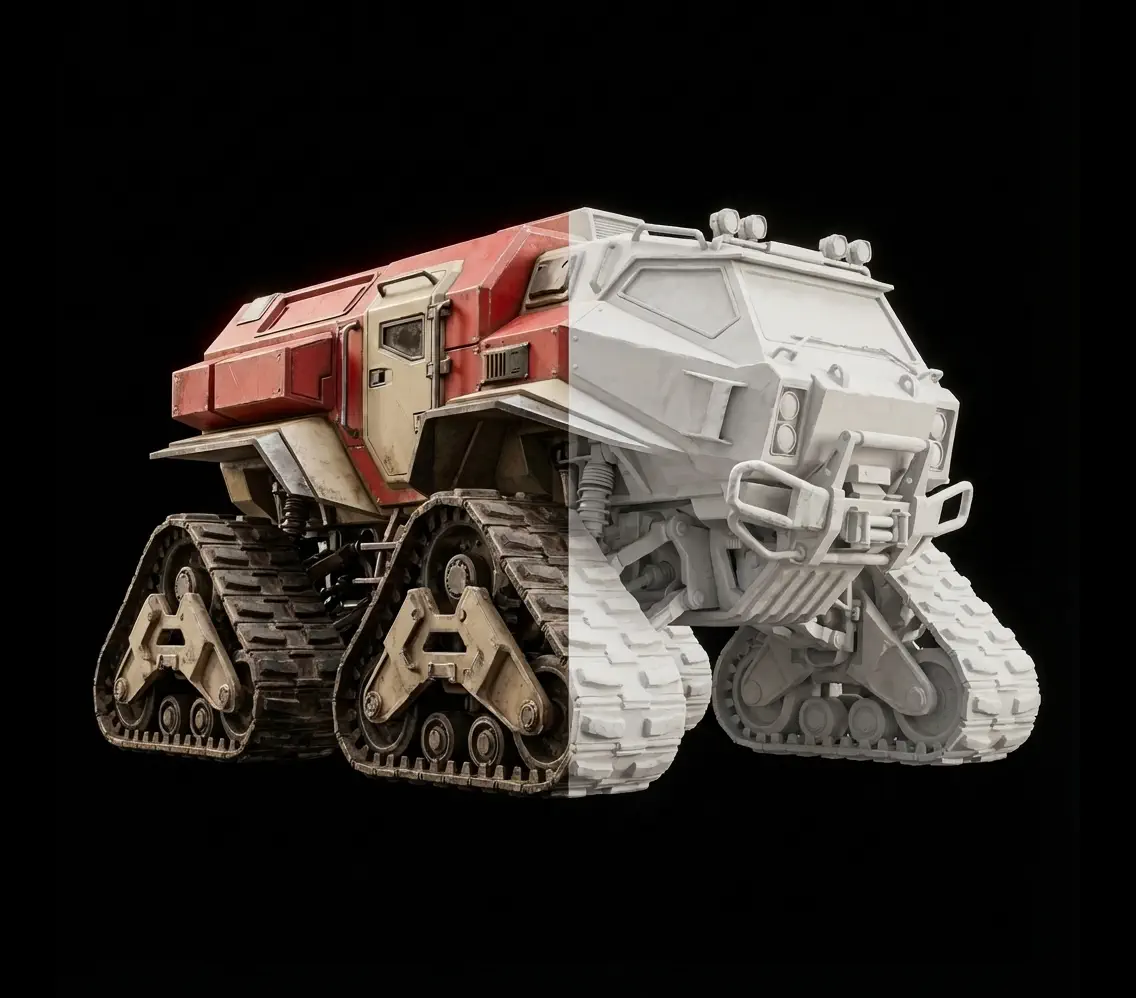
Trellis 3D generates detailed geometry with efficient polygon distribution, ensuring models maintain visual quality while remaining optimized for real-time applications
Physically-Based Materials
Every model includes complete PBR textures—albedo, normal, roughness, metallic—for realistic lighting response in Unity, Unreal, and professional rendering software
Powerful Features of Trellis 3D
Advanced capabilities designed for professional 3D workflows
Transform Images to 3D in Four Steps
Simple workflow for professional results with Trellis 3D
Upload Your Image
Select a clear image with good lighting and defined edges. Works best with solid objects against clean backgrounds
Configure Settings
Select resolution and texture size based on your needs. Higher settings unlock Trellis 3D's full detail capture capabilities
Process with AI
The Trellis 3D engine analyzes your image and reconstructs accurate geometry with intelligent texturing in 2-3 minutes
Export Your Asset
Download in GLB, OBJ, STL, GLTF, USDZ, or MP4 format and import directly into your creative software
Common Questions About Trellis 3D
Learn how to get the most from our image-to-3D platform
What makes Trellis 3D unique compared to other generators?
Trellis 3D stands out through Microsoft Research's innovative O-Voxels representation, which enables structured 3D latents without neural fields. This architecture creates cleaner topology optimized for professional use compared to raw photogrammetry outputs. The platform excels at generating efficient polygon flow and seamless texture wrapping, producing models that work better for animation, deformation, and real-time rendering in games and VFX.
How fast does Trellis 3D process images?
Trellis 3D typically processes images in 2-3 minutes regardless of version selection. Both V1 and Trellis 2 maintain consistent generation times while delivering different quality levels and feature sets. This standardized processing window is significantly faster than manual modeling or traditional photogrammetry workflows that can take hours to complete.
What types of objects work best?
Trellis 3D performs excellently with diverse subjects including products, furniture, vehicles, architectural features, sculptures, collectibles, and character props. The AI handles both organic shapes and hard-surface geometry with equal proficiency. For optimal results, photograph solid objects with matte or semi-gloss surfaces against clean backgrounds. The system manages moderate reflections well, though highly reflective chrome or transparent glass may present challenges.
Does Trellis 3D support multi-view input?
While the underlying Trellis3d technology supports multi-view reconstruction for enhanced accuracy, our current platform implementation focuses on single-image generation for simplicity and speed. Multi-view support is planned for future updates, which will allow processing multiple angles to reconstruct more complete 360-degree geometry with fewer artifacts.
What export formats are available?
Trellis 3D offers comprehensive format support: GLB for web applications and universal viewers, OBJ for traditional software like Maya and Blender, STL optimized for 3D printing, GLTF for interactive web experiences, USDZ for iOS augmented reality, and MP4 turntable videos for presentations. Download your model in multiple formats from the same generation without reprocessing.
Are materials and textures included?
Yes. All Trellis 3D outputs include high-quality color textures with proper UV mapping. Higher quality settings provide complete PBR materials—albedo, normal, roughness, and metallic maps—ensuring realistic rendering in modern game engines like Unity and Unreal. These physically-based materials eliminate manual texturing workflows and ensure models look professional under any lighting condition.
How does texture synthesis work for unseen areas?
Trellis 3D employs intelligent inpainting to fill areas not visible in source photos. Rather than leaving gaps or creating obvious seams, the AI analyzes visible patterns and synthesizes plausible textures for occluded regions. This approach creates seamless surface coverage that appears natural from all viewing angles. Synthesis quality improves significantly with multi-view input, as the AI has more reference data for hidden areas.
Can I use Trellis 3D models commercially?
Absolutely. You retain full commercial rights to all models generated from your images. Use them freely in client work, sell on asset marketplaces, integrate into games or applications, create marketing materials, or manufacture physical products. The only requirement is ensuring you own or have legal rights to the input photographs—don't convert copyrighted images without permission.
What image quality should I provide?
For best Trellis 3D results, use images at least 1024x1024 pixels, though 2048x2048 or higher is ideal for capturing fine detail. Ensure photos are sharp, well-focused, and properly exposed with even lighting. Avoid heavy JPEG compression—use your camera or smartphone's highest quality setting. Good diffused lighting trumps harsh shadows. Input photo quality directly impacts final model detail and accuracy.
Is Trellis 3D suitable for game development?
Yes! Trellis 3D is specifically optimized for real-time applications. The platform generates efficient polygon counts with clean topology that performs well in game engines. Models export with optimized UV layouts for texture atlasing and standard material definitions that integrate seamlessly with Unity and Unreal. For game development, Trellis3d provides excellent starting points for environment props, character accessories, and background assets with minimal optimization needed.
Experience the Power of Trellis 3D
Join professionals using Trellis 3D to streamline 3D content creation. Start converting images to production-ready models with Microsoft's advanced AI today.